
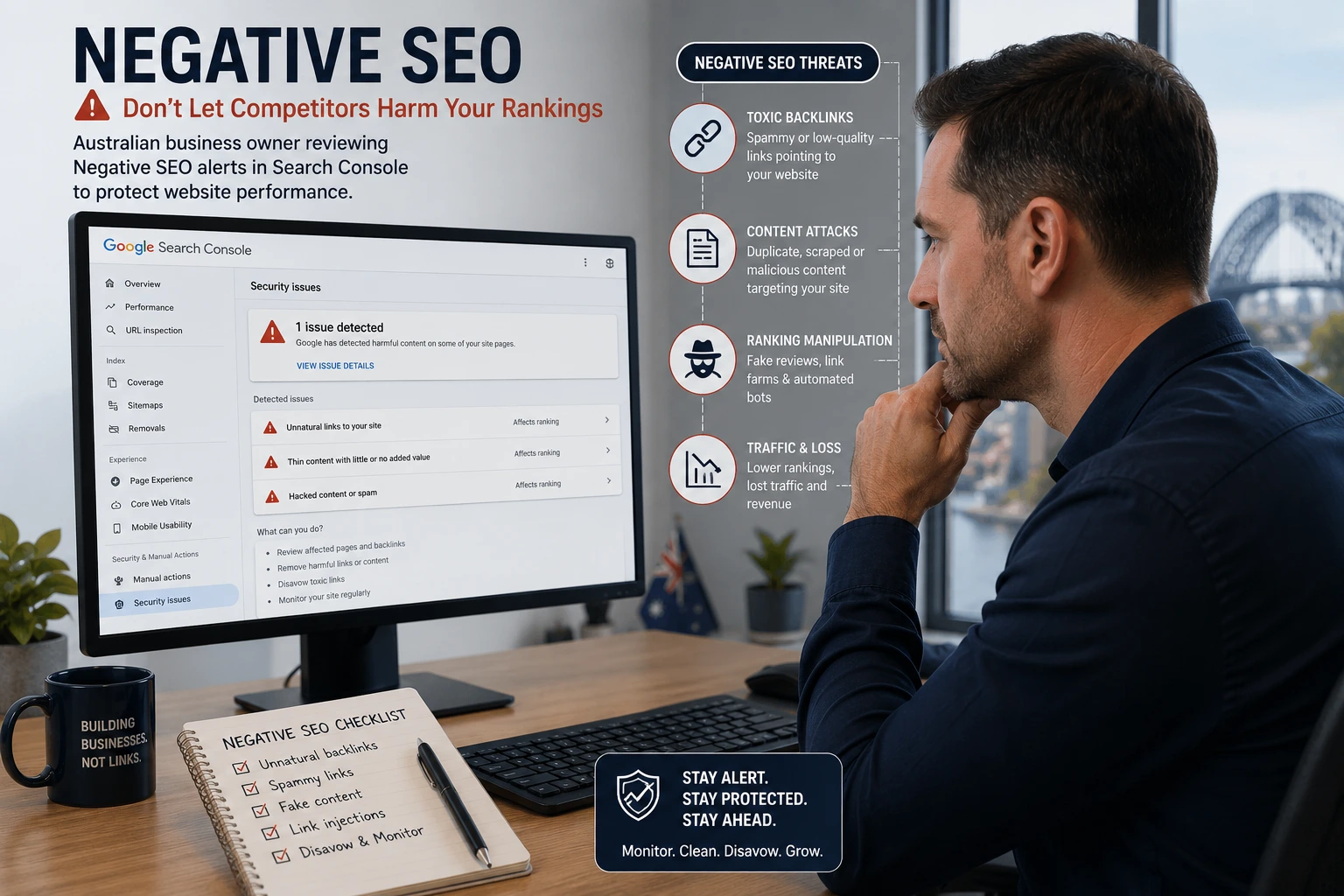
Key Takeaway:
Negative SEO can feel like someone is attacking your business in the dark. One day your rankings look stable. The next day you see strange backlinks, copied pages, fake reviews, traffic drops, or security warnings. It is stressful because your leads, revenue and reputation may depend on Google visibility.
The good news is this: most suspicious SEO activity does not destroy a healthy website overnight. Google says it works hard to prevent actions on third-party sites from harming your site, and most sites do not need to use the disavow tool. But that does not mean you should ignore real warning signs. A hacked site, fake review attack, spam link blast or content scraping issue can still damage trust, user experience and search performance if you respond too late. (Google Help)
This guide explains what Negative SEO is, how to spot it, what to fix first, and how Australian businesses can protect their websites without panic.
What Is Negative SEO?
Negative SEO is the use of unethical tactics to damage another website’s search visibility, reputation or trust signals. It may include spam backlinks, copied content, fake reviews, hacking, malware, bad bot traffic, fake social profiles or attempts to make your site look manipulative.
In simple words, Negative SEO is when someone tries to make Google, customers or users trust your website less.
It is different from normal SEO problems. A ranking drop can happen because of poor content, technical issues, algorithm changes, slow pages, weak internal links or stronger competitors. Negative SEO means there is a hostile action from outside your business, or at least suspicious activity that looks designed to cause harm.
Google’s spam policies define spam as techniques used to deceive users or manipulate search systems, including attempts to manipulate Google’s generative AI search responses. Google can detect spam through automated systems and human review, and sites that violate policies may rank lower or be removed from results. (Google for Developers)
That matters because malicious competitors may try to make your site look like it is breaking the rules.
Is Negative SEO Still a Real Risk Today?
Negative SEO is less powerful than it was years ago, but it is still a real risk when your site has weak security, poor technical controls, thin content, a small backlink profile or no monitoring. The bigger danger is not always a penalty. It is wasted time, lost trust, reputation damage and delayed response.
Modern search engines are better at ignoring obvious spam. For example, a random burst of low-quality links does not always mean your rankings will collapse. Google says most sites do not need to disavow links because it can usually assess which links to trust without extra guidance. (Google Help)
Still, Negative SEO can hurt in practical ways:
- A hacked site can show spam pages in search.
- Fake reviews can reduce enquiries.
- Bot traffic can slow your website.
- Scraped content can confuse users.
- Malicious redirects can harm trust.
- Toxic link spikes can create stress and poor decisions.
- A manual action can happen if Google believes link manipulation is connected to your site.
For Australian SMEs, this also overlaps with cyber risk. The ASD Annual Cyber Threat Report 2024–25 reported the average self-reported cost of cybercrime per report for small businesses at about $56,600, up 14% year on year. (Cyber.gov.au)
So the safest mindset is simple: do not panic, but do not sleep on it.
Common Types of Negative SEO Attacks
Negative SEO attacks usually fall into six groups: spam links, content copying, website hacking, fake reviews, bad bot activity and brand impersonation. Each one needs a different response. Treating every issue like a backlink problem is one of the biggest mistakes.
1. Spam Backlinks and Link Farms
Spam backlinks are low-quality links pointed at your site from irrelevant, automated or suspicious websites. A link farm is a group of poor-quality sites created mainly to manipulate rankings or link signals.
A few bad links are normal. Every website gets strange backlinks over time. The warning sign is a sudden spike from unrelated domains with repeated anchors, adult terms, gambling terms, pharma terms, foreign-language spam or exact-match commercial keywords.
What to check:
- New referring domains in Google Search Console, Ahrefs, Semrush or similar tools
- Anchor text spikes
- Links from hacked sites
- Links from auto-generated pages
- Links from sites with no topical relevance
- Links pointing to money pages, not just your homepage
Do not instantly disavow every low-quality link. First, check whether there is a real pattern, whether rankings changed, and whether Search Console shows a manual action.
2. Content Scraping
Content scraping happens when another website copies your article, service page, product description or images and republishes them. Sometimes this is automated. Sometimes a competitor copies your best-performing pages.
Google is usually good at identifying the original source, but copied content can still cause issues if your site is new, poorly indexed, or the scraper has stronger authority. The SBA’s negative SEO guidance also notes that scraped content can sometimes outrank the original source. (Small Business Administration)
How to reduce risk:
- Publish content on your site first.
- Submit important URLs in Google Search Console.
- Use clear author, business and date information.
- Add internal links to original service pages.
- Use canonical tags where needed.
- Monitor copied snippets from key pages.
- File removal or copyright requests when serious.
3. Hacked Content, Malware and Hidden Links
A hacked site is one of the most serious SEO risks. Attackers may inject hidden links, spam pages, cloaked content or redirects that only appear to Googlebot or search visitors.
Google’s spam documentation warns that hacked content can include subtle content injection, hidden links, hidden text and redirects. Google also notes that hackers may use cloaking to make the hack harder for site owners to detect. (Google for Developers)
Warning signs include:
- Search results showing casino, pharma or adult titles for your pages
- Strange indexed URLs in Search Console
- Security warnings in browsers
- Unknown admin users in WordPress
- Sudden server load increases
- Redirects that only happen from Google search results
- New files or plugins you did not install
This is not just an SEO issue. It is a security incident. Fix the hack first, then clean up SEO damage.
4. Fake Reviews and Reputation Attacks
For local businesses in Australia, fake reviews can be more damaging than spam links. A sudden wave of one-star reviews can reduce calls, bookings and trust before rankings even move.
Under Australian Consumer Law, it is illegal to create or arrange fake or misleading reviews. Business.gov.au says reviews may be misleading if they are written by someone who has not used the product or service, written by employees or paid people without disclosure, or influenced by undisclosed incentives. (business.gov.au)
If you believe reviews are fake:
- Screenshot the reviews.
- Record names, dates and wording.
- Check whether the reviewer was a real customer.
- Respond professionally if needed.
- Flag the review through the platform.
- Provide factual evidence.
- Escalate if the platform does not respond.
Google says businesses can report reviews that violate policy, but it also warns not to report reviews just because you disagree with them. Only policy-breaking reviews are eligible for removal. (Google Help)
5. Bad Bot Traffic and Server Overload
Bad bots can crawl your site aggressively, overload your server, distort analytics, scrape content or slow down pages. If pages become slow or unavailable, users leave and Google may crawl less efficiently.
This may look like:
- Sudden traffic from unusual countries
- High server usage
- Many requests to search pages, login pages or XML-RPC
- Slow page speed
- Spike in 404 errors
- Fake referral traffic in analytics
A firewall, CDN, rate limiting, bot filtering, caching and stronger hosting can reduce this risk. The goal is not to block every bot. The goal is to block harmful automated traffic while allowing Googlebot and other trusted crawlers.
6. Brand Impersonation and Fake Profiles
Attackers may create fake social media profiles, fake business listings, fake websites or fake ads using your brand name. This can confuse customers and damage trust.
For service businesses, this is especially risky. Someone may pretend to be your brand, collect leads, publish false information or redirect users to a competitor.
Protect yourself by:
- Claiming your main social profiles
- Verifying Google Business Profile
- Monitoring brand mentions
- Setting up Google Alerts
- Registering key domain variations where practical
- Keeping NAP details consistent
- Reporting impersonation quickly
How to Know If Your Site Is Under Attack
You may be under a Negative SEO attack if several warning signs appear together: sudden spam link growth, ranking drops, strange indexed pages, fake reviews, crawl errors, malware warnings, copied content or unusual traffic patterns. One signal alone is not proof.
Use this table to separate noise from real risk.
| Warning Sign | Possible Cause | First Action |
| Sudden spam backlink spike | Link farm or automated spam | Check anchors, domains and manual actions |
| Ranking drop only on one page | Content issue, technical issue or stronger competitor | Audit page quality and internal links |
| Strange pages indexed | Hack, spam injection or CMS issue | Check Search Console and server files |
| Fake one-star reviews | Reputation attack or angry customer | Verify customer records and report policy breaches |
| Slow website with high server load | Bad bots or hosting issue | Check logs, firewall and caching |
| Copied article outranking you | Scraping or weak authority | Strengthen original page and request removal |
| Search result title changed to spam | Hacked metadata or injected content | Run security scan immediately |
| Manual action notice | Google human review issue | Read notice, fix cause, submit reconsideration if needed |
The key is pattern matching. Do not assume every traffic drop is malicious. Google updates, seasonality, technical errors, content decay and competitor improvements are more common than deliberate sabotage.
What to Do First If You Suspect Negative SEO
If you suspect Negative SEO, start with evidence and diagnosis. Do not delete pages, block Googlebot, disavow everything or rebuild your website without knowing the cause. A calm response protects rankings better than panic changes.
Step 1: Check Google Search Console
Open Google Search Console and review:
- Manual Actions
- Security Issues
- Links
- Indexing
- Sitemaps
- Pages report
- Core Web Vitals
- Search performance
Google says the Security Issues report warns when it finds a site may be hacked or used in ways that could harm visitors or devices. (Google for Developers)
If you see a security warning, treat it as urgent. If there is no manual action and no security issue, take a deeper look before assuming the worst.
Step 2: Build an Evidence Log
Create a simple spreadsheet with:
- Date found
- Issue type
- URL affected
- Screenshot link
- Tool used
- Referring domain or review URL
- Impact on traffic or rankings
- Action taken
- Status
This helps your SEO team, developer, hosting provider, legal adviser or review platform understand the situation quickly.
Step 3: Check Whether Rankings Dropped
Look at real search performance, not just third-party “toxicity” scores. Check:
- Clicks
- Impressions
- Average position
- Affected queries
- Affected pages
- Countries
- Devices
- Date of change
If spam links appeared but rankings and traffic are stable, monitor before making heavy changes.
Step 4: Separate SEO From Cybersecurity
If there are hacked pages, malware warnings, suspicious admin accounts, redirects or injected scripts, stop treating it like a normal SEO clean-up.
Australian businesses can use government cyber resources if they believe they are dealing with a cyber incident. Business.gov.au points businesses to the ACSC’s “Have you been hacked?” tool and the Australian Cyber Security Hotline. (business.gov.au)
Step 5: Fix the Root Cause
The right fix depends on the attack:
- Spam links: document, assess, remove where possible, disavow only when justified.
- Hacked pages: clean files, patch CMS, reset passwords, restore clean backups.
- Fake reviews: respond, report, appeal, escalate with evidence.
- Scraping: strengthen original page, submit URL, request removal if needed.
- Bot traffic: use firewall, CDN, rate limits and server log review.
- Impersonation: report profiles, update official channels, warn customers if needed.
Should You Use Google’s Disavow Tool?
Use the disavow tool only when you have a considerable number of spammy, artificial or low-quality links and those links have caused, or are likely to cause, a manual action. For most websites, Google says the tool is not needed.
This is important because many businesses overuse disavow files. They see a toxic score in a backlink tool and upload hundreds of domains without checking whether those links are actually harming them.
Google’s own guidance says most sites will not need to use the disavow tool. It recommends disavowing backlinks only when there are many spammy, artificial or low-quality links and they have caused or are likely to cause a manual action. (Google Help)
Google has also described disavow as a strong suggestion rather than a command and says it can take multiple weeks after recrawling and reindexing for disavowed links to take effect. (Google for Developers)
When Disavow May Make Sense
Disavow may be appropriate if:
- You have a manual action for unnatural links.
- You previously bought links and cannot remove them.
- A large spam campaign is clearly targeting money pages.
- Links use manipulative anchors at scale.
- The links are from obvious link networks.
- Your SEO expert can separate harmful patterns from normal low-quality noise.
When Disavow Is Usually Not Needed
Disavow is usually not the first answer if:
- You only found a few random spam links.
- Rankings have not changed.
- There is no manual action.
- The links are obviously irrelevant and likely ignored.
- A tool labelled links as “toxic” without real context.
- The issue is actually content, technical SEO or competition.
The safest rule: investigate before disavowing.
How to Prevent Negative SEO Before It Hurts
The best defence is a strong website. A site with clean technical SEO, secure hosting, clear content ownership, trusted backlinks and active monitoring is harder to damage.
Build a Clean Backlink Profile
A healthy backlink profile makes spam links less scary. Earn links from:
- Relevant industry sites
- Local Australian business directories
- Real partnerships
- Supplier pages
- Digital PR
- Guest contributions on quality sites
- Local sponsorships
- Useful resources people naturally cite
Avoid buying cheap bulk links. If your own link building looks manipulative, it becomes harder to prove that spam links were not yours.
Secure Your CMS and Hosting
Many “Negative SEO” cases are actually weak website security. If someone gets into your WordPress site, Shopify app, hosting account or DNS, they can create serious damage.
Protect your site with:
- Multi-factor authentication
- Strong unique passwords
- Limited admin access
- Regular plugin and theme updates
- Daily backups
- Security monitoring
- Web application firewall
- Reliable hosting
- SSL
- Malware scanning
The Australian Signals Directorate says multi-factor authentication is one of the most effective controls an organisation can implement to stop malicious actors accessing online services, systems or data. (Cyber.gov.au)
Monitor Search Console Weekly
A weekly Search Console check can catch many problems early.
Review:
- New indexing issues
- Manual actions
- Security issues
- Top losing pages
- Sudden query changes
- New links
- Sitemap status
- Crawl errors
For high-value sites, check more often.
Protect Your Original Content
Make it easy for search engines to understand that your content is the original source.
Use:
- Clear publication dates
- Author or business attribution
- Internal links
- Schema markup
- XML sitemap updates
- Canonical tags
- Unique images
- Strong brand mentions
- Helpful original examples
Google’s people-first content guidance says its systems aim to reward helpful, reliable information created for people rather than content made mainly to manipulate rankings. (Google for Developers)
Strengthen Online Reputation
Do not wait for fake reviews to start building trust.
Ask real customers for honest reviews, respond professionally to feedback and keep your Google Business Profile active. Business.gov.au notes that reviews can shape reputation, influence consumers and boost local search rankings. (business.gov.au)
A strong review base makes fake reviews less damaging.
Negative SEO Response Checklist
Use this checklist if you suspect an attack.
- Stay calm and avoid major site changes.
- Check Google Search Console for manual actions and security issues.
- Compare traffic before and after the suspected date.
- Review affected pages and queries.
- Export new backlinks from Search Console and a third-party tool.
- Identify suspicious link patterns, not just individual ugly links.
- Check server logs for bot spikes.
- Search Google for copied snippets from your content.
- Review Google Business Profile and other review platforms.
- Screenshot fake reviews, spam links and suspicious pages.
- Ask your developer to scan for malware or injected content.
- Remove or fix hacked content immediately.
- Report policy-breaking reviews with evidence.
- Contact hosting support if your site is slow or under bot pressure.
- Use disavow only when the evidence supports it.
- Monitor recovery weekly.
Common Mistakes to Avoid
The biggest Negative SEO mistake is reacting emotionally. Rushed fixes can cause more damage than the attack itself.
Avoid these mistakes:
- Disavowing every low-authority link
- Blocking Googlebot by accident
- Deleting important pages during panic
- Changing URLs without redirects
- Ignoring fake reviews because “it is not SEO”
- Assuming every ranking drop is an attack
- Forgetting to check manual actions
- Letting plugins, themes or passwords go stale
- Relying only on one SEO tool
- Not documenting evidence
Good SEO defence is boring but powerful: monitor, document, diagnose, fix, then review.
When Should You Get Professional Help?
Get professional help if your site has a manual action, malware warning, hacked content, large-scale spam links, fake review attack, major ranking drop, or technical issue you cannot confidently diagnose. The sooner you separate real risk from noise, the less damage you may face.
You should speak with an SEO or web security professional when:
- Organic leads dropped suddenly.
- Search Console shows a manual action.
- Google shows hacked or spammy pages.
- Your site redirects users unexpectedly.
- Your backlink profile has thousands of suspicious links.
- Your Google reviews are being attacked.
- Your developer cannot find the source of the issue.
- You are unsure whether to disavow.
For Australian SMEs, this is where a digital marketing partner can help connect SEO, technical fixes, content, reputation management and conversion protection. Pulse Reach Digital works with Australian SMEs on SEO, web development, PPC, social media and content marketing, with a focus on measurable growth and lead generation. (pulsereachdigital.co)
Final Takeaway
Negative SEO is scary, but it is manageable. Most spam links are not worth panic. Most traffic drops need diagnosis before blame. But real attacks do happen, especially through hacked sites, fake reviews, scraping, bot traffic and reputation manipulation.
The best protection is not one tool. It is a system:
- Secure your website.
- Monitor Search Console.
- Build real authority.
- Earn trusted links.
- Keep clean backups.
- Respond to fake reviews correctly.
- Document suspicious activity.
- Use disavow carefully.
- Get expert help when risk is high.
If your website is important to your leads and revenue, treat SEO protection like business insurance. You hope you never need the emergency plan, but you will be glad it exists when something goes wrong.
A practical next step: run a monthly SEO health check that covers backlinks, indexing, reviews, page speed, malware, content copying and Search Console warnings. That small habit can stop a small issue from becoming a ranking crisis.
FAQ Section
1. What is Negative SEO?
Negative SEO is when someone uses unethical tactics to damage another website’s search rankings, traffic or reputation. Common examples include spam backlinks, copied content, fake reviews, hacked pages, malware, bad bots and brand impersonation.
2. Can Negative SEO really hurt my website?
Yes, but not every suspicious signal causes damage. Google often ignores obvious spam links, but hacked content, fake reviews, malware, bot attacks and manual actions can hurt visibility, trust and leads.
3. What are the first signs of Negative SEO?
Common signs include sudden spam backlink spikes, strange anchor text, fake reviews, copied content, unknown indexed pages, malware warnings, traffic drops, crawl errors and suspicious server activity.
4. Should I disavow spam backlinks immediately?
No. Google says most sites do not need the disavow tool. Use it only when there are many spammy or artificial links and they have caused, or are likely to cause, a manual action. (Google Help)
5. How do I check for Negative SEO?
Start with Google Search Console. Check Manual Actions, Security Issues, Links, Pages, Sitemaps and Performance reports. Then review backlinks, server logs, copied content, reviews and site security.
6. Are fake Google reviews part of Negative SEO?
Yes, fake reviews can be a form of reputation-based Negative SEO. In Australia, fake or misleading reviews can also raise Australian Consumer Law issues. (business.gov.au)
7. How do I report fake Google reviews?
Use the Google Business Profile review reporting process. Choose the correct reason, provide evidence where possible, check the status and submit a one-time appeal if eligible. (Google Help)
8. Can competitors copy my content to hurt SEO?
Yes. Content scraping can create duplicate versions of your pages. Google often identifies the original source, but serious copying should be monitored and reported when needed.
9. Is a hacked website Negative SEO?
Sometimes. A hacked site may be caused by cybercriminals rather than competitors, but the SEO impact can be severe. Hacked content, hidden links and malicious redirects should be fixed immediately.
10. How often should I monitor my website?
For most SMEs, check Search Console weekly and run a deeper SEO health check monthly. High-value lead generation websites should monitor security, rankings, backlinks and reviews more often.
11. What tools help detect Negative SEO?
Useful tools include Google Search Console, Google Analytics, server logs, Ahrefs, Semrush, Screaming Frog, malware scanners, uptime monitoring tools, Google Alerts and review management tools.
12. Can Google penalise me for links I did not build?
Google says it works hard to prevent third-party actions from harming your site. However, in some cases incoming links can affect Google’s opinion of a site, which is why serious link issues should be reviewed carefully. (Google Help)
13. What should Australian businesses do after a cyber-related SEO attack?
Secure the site, preserve evidence, contact hosting or web support, check Search Console, restore clean backups if needed and use ACSC resources if you believe it is a cyber incident. (business.gov.au)
14. Does Negative SEO affect local SEO?
Yes. Fake reviews, fake listings, NAP confusion, duplicate Google Business Profiles and reputation attacks can affect local trust and conversions.
15. Who can help fix Negative SEO?
An experienced SEO agency, web developer, hosting provider and cybersecurity specialist may all be needed, depending on the issue. Link spam, hacked content and fake reviews require different skills.



0 Comments